Revolutionizing Digital Storytelling
Simplifying University's Event Reservation Portal
A friend launching a new cybersecurity consulting company needed a professional online presence to establish credibility and attract clients. They had no digital footprint, no brand identity, and no clear way for potential clients to learn about their services. My role was to design and develop a website that communicates trust, professionalism, and technical expertise while remaining approachable for clients with varying levels of technical knowledge.
Date
June 2025 - August 2025
Scope of work
Website Design
Product Design
No-code
Overview
The Challenge:
Harrison Cyber needed to establish digital footprint, brand identity, and a clear way for potential clients to learn about their services. My role was to design and develop a website that communicates trust, professionalism, and technical expertise while remaining approachable for clients with varying levels of technical knowledge.
My Role:
We made a 3 phase plan to launch the website: phases: 1- MVP, 2- Interactions and visual refinement, 3- Animations and interaction refinement. The process included researching existing websites, exploring visual direction, establishing information architecture, and creating visual assets for the website.
Results:
I was able to deliver a website that looks modern, is easy to use, and conveys the importance of cybersecurity to new and expert visitors.
Image idea: Video of home page scrolling
Research and Insights
User Research:
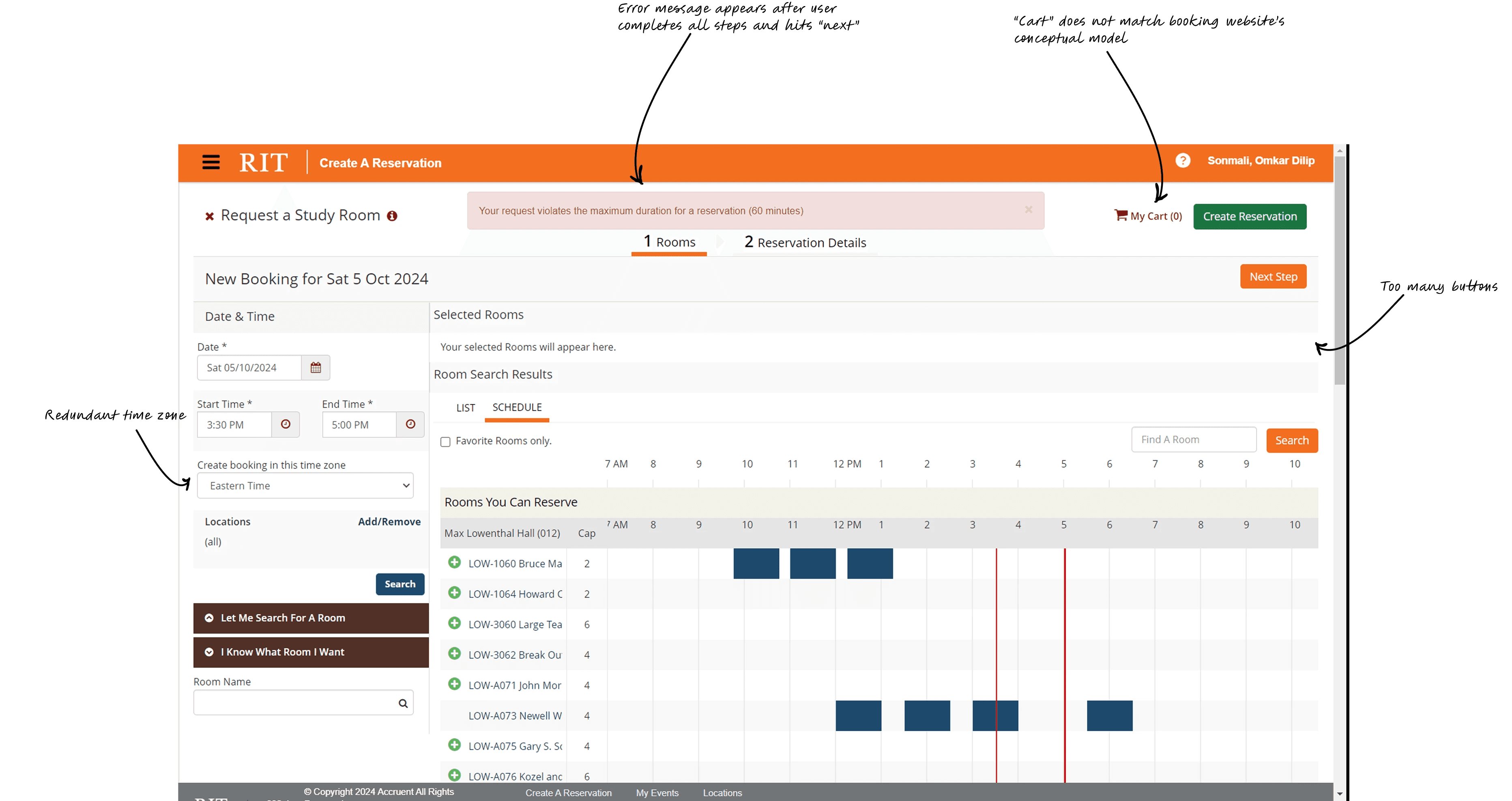
We talked to 12 users, who have recently or regularly used the portal to make bookings to understand their perspectives and pain-points. While the primary users are students, the website is also used by faculty, student bodies, and event organizers, each with different needs.
01.
Heuristic Evaluation
The templates basically determine the flow of the system based on the option users select.
02.
Chatting with students
This was done to avoid students hogging the study rooms by booking them back-to-back and make it accessible to everyone.

Secondary Research:
We talked to 12 users, who have recently or regularly used the portal to make bookings to understand their perspectives and pain-points. While the primary users are students, the website is used by various faculty, student bodies, and event organizers, each with different needs.
Heuristic Evaluation
The templates basically determine the flow of the system based on the option users select.
Reading Documentation
We dug into the documentations to understand the underlying system and its limitations.
Industry Analysis
Evaluated the booking flows of popular services like Apple store, Expedia, WeWork, etc. Noted consistent patterns and how they handle booking steps.
Design Approach
Redefined user flow:
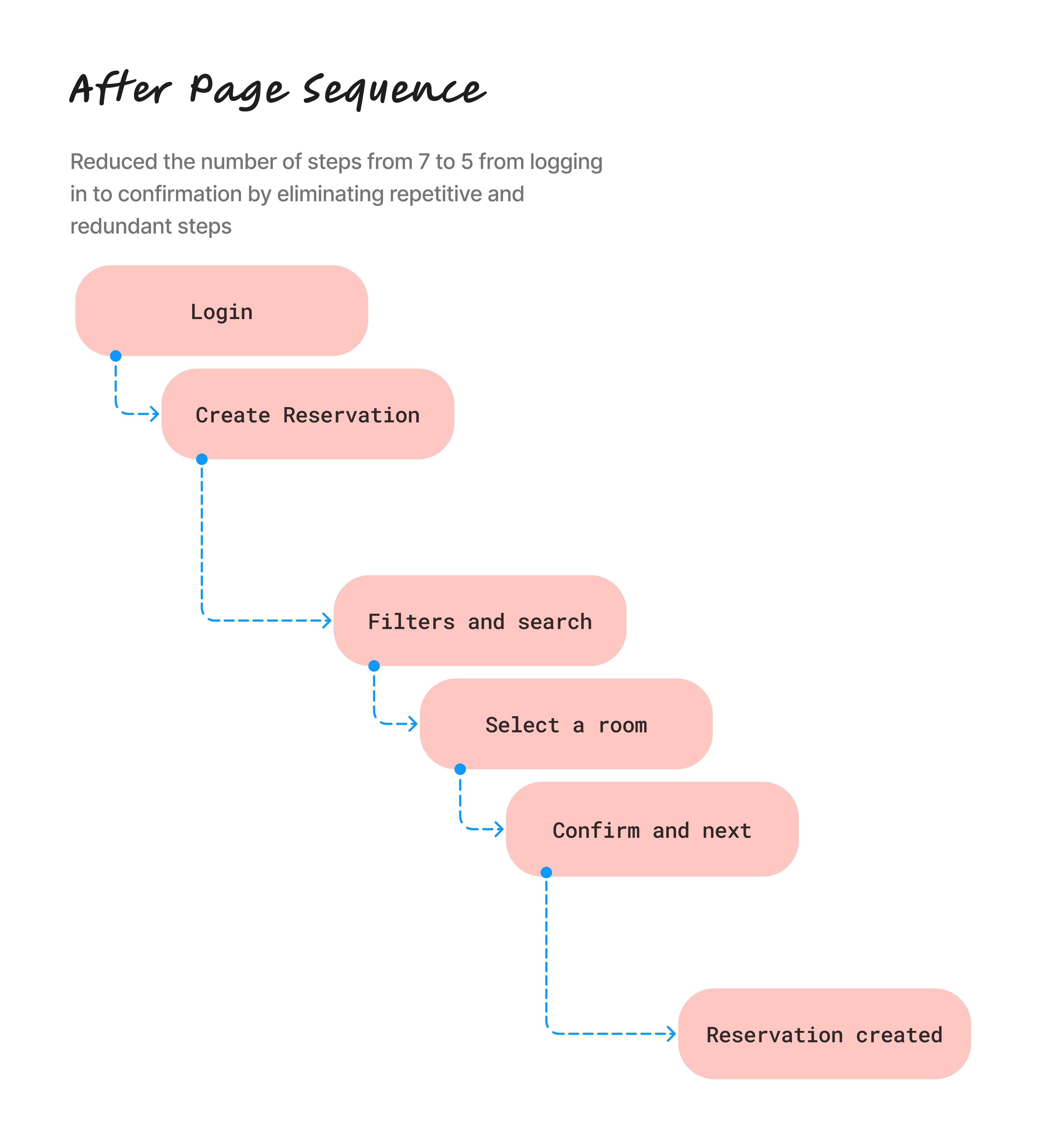
Based on the research, we designed the basic user flow for the most complex use case like reserving a specialty space, and simplifying it for less complex task like booking a study room. We outlined the major steps and pages that user will go through, before going into the details. We were able to decrease the number of steps taken to book a facility from min of 8 to 6 overall.


Reducing redundant steps:
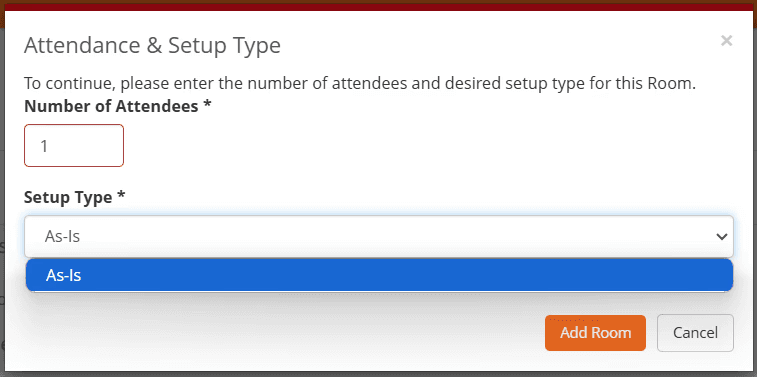
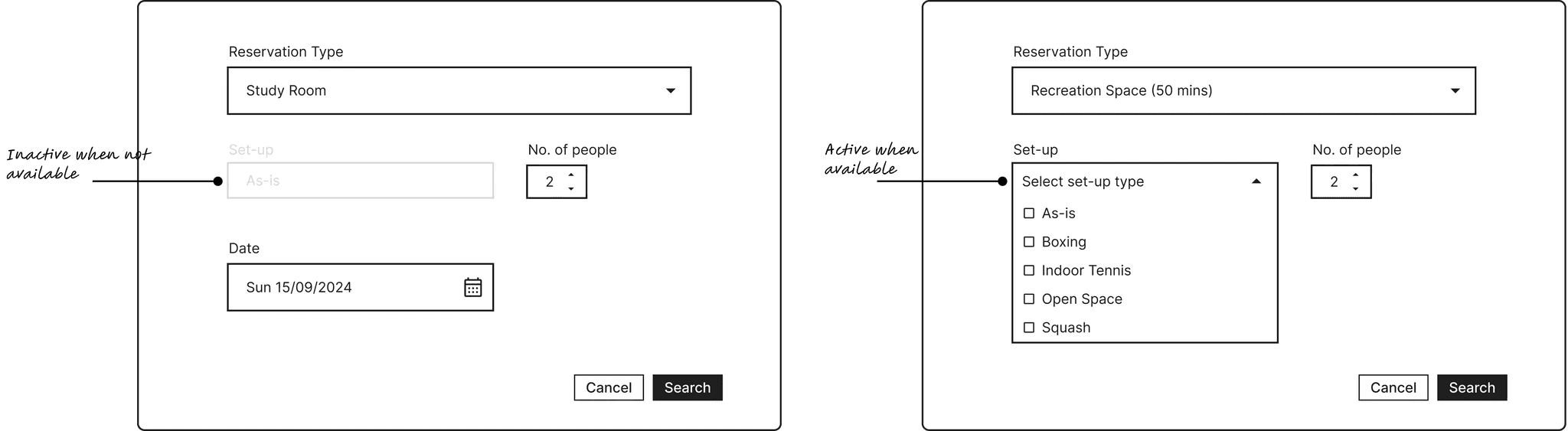
The current user flow contains many redundant steps the user has to go through. For example, users are prompted to select a setup type even when it wasn’t available. To improve usability, we modified the flow so that the setup selection is only required when the chosen reservation type supports it; otherwise, the option remains inactive.
Design Explorations:
During the wireframing phase, we experimented with various layouts. For instance, we developed 2 user flows for how users can select preferences and narrow down choices for a facility.
V1: The users would select type of facility (study room, recreation space, etc.), select a date and time and then select any additional preferences like set-up types and number of people.
V2: The users would select the type of facility and preferences like set-up and number of people and then select and adjust date and time.
V1 was best when selecting only a study room but v2 resonated better during initial tests, as it is overall more efficient for use cases where users wanted other facilities.

Different versions to explore selection of user preferences
Efficient design via A/B Testing:
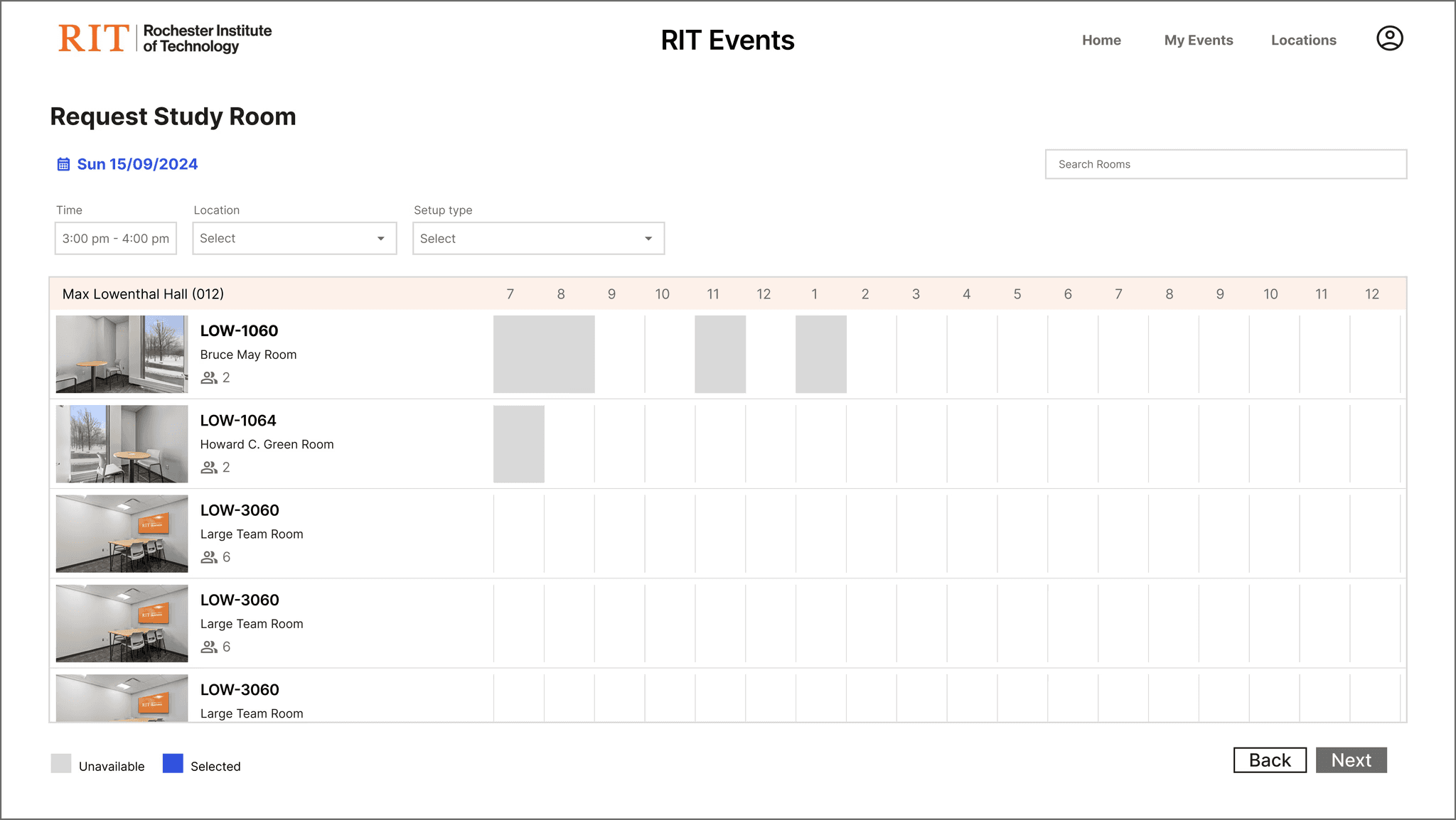
We initially ideated different ways to present the booking interface page from where users can select a facility. While we came up with ideas to simplify the design, we quickly realized that the current design might be the most efficient as it shows availability/unavailability of multiple facilities on a single page. In order to validate this, we conducted a quick A/B testing and gathered feedback from the test participants.
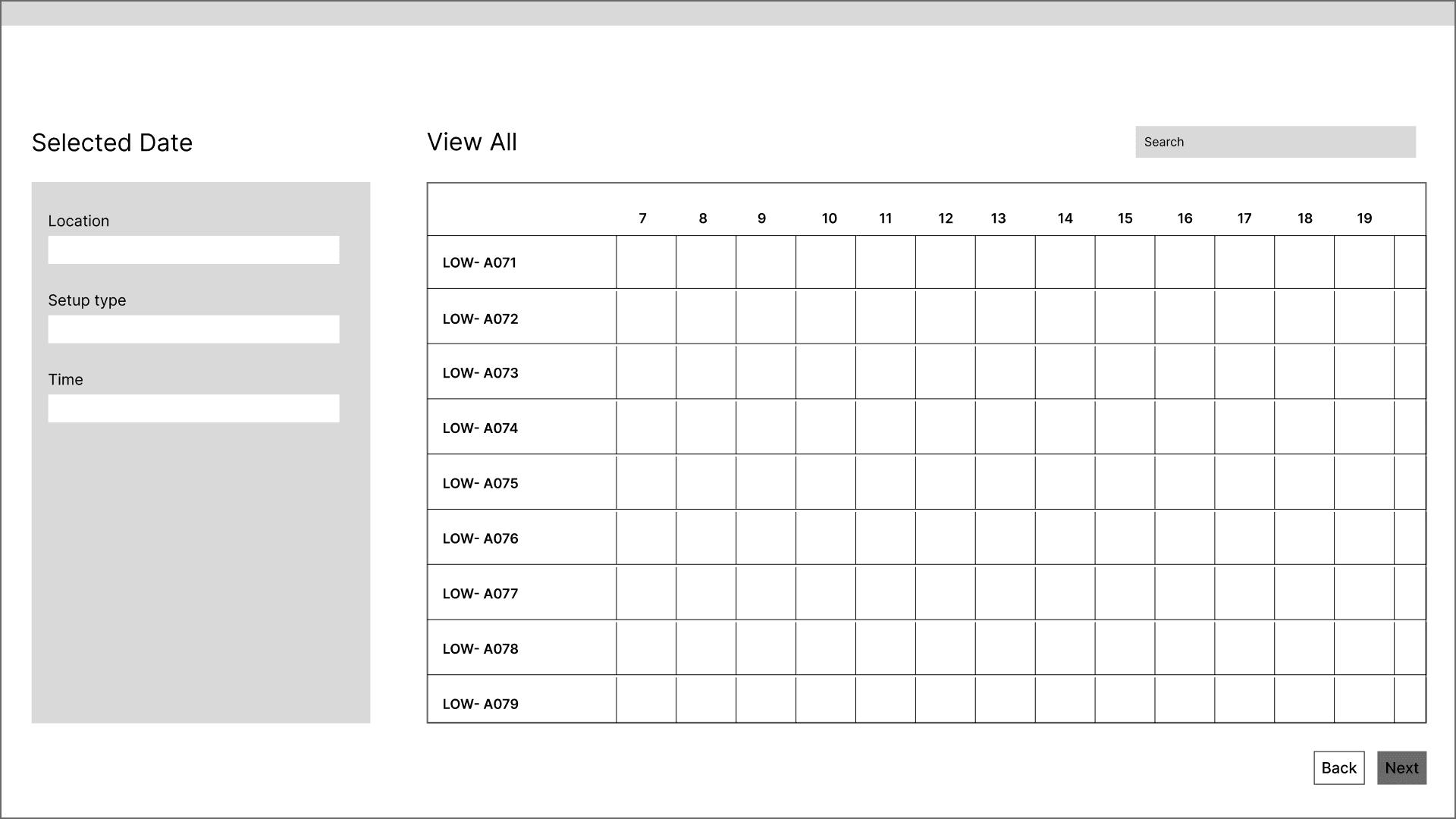

The two versions used for A/B testing. V1 (left) shows current existing grid format, V2 (right) shows a list format.
The findings led us to go with a hybrid design approach where displayed the grid list wise. This made the interface cleaner and visually pleasing while maintaining the efficiency of the previous design. It was also more intuitive to select and complete the booking process.
Outcomes
38% increase in efficiency.
Decreased the total number of steps to complete tasks like booking a facility.
30% increase in SUS score.
Post task survey indicated users preferred the redesigned website.
Final Designs:
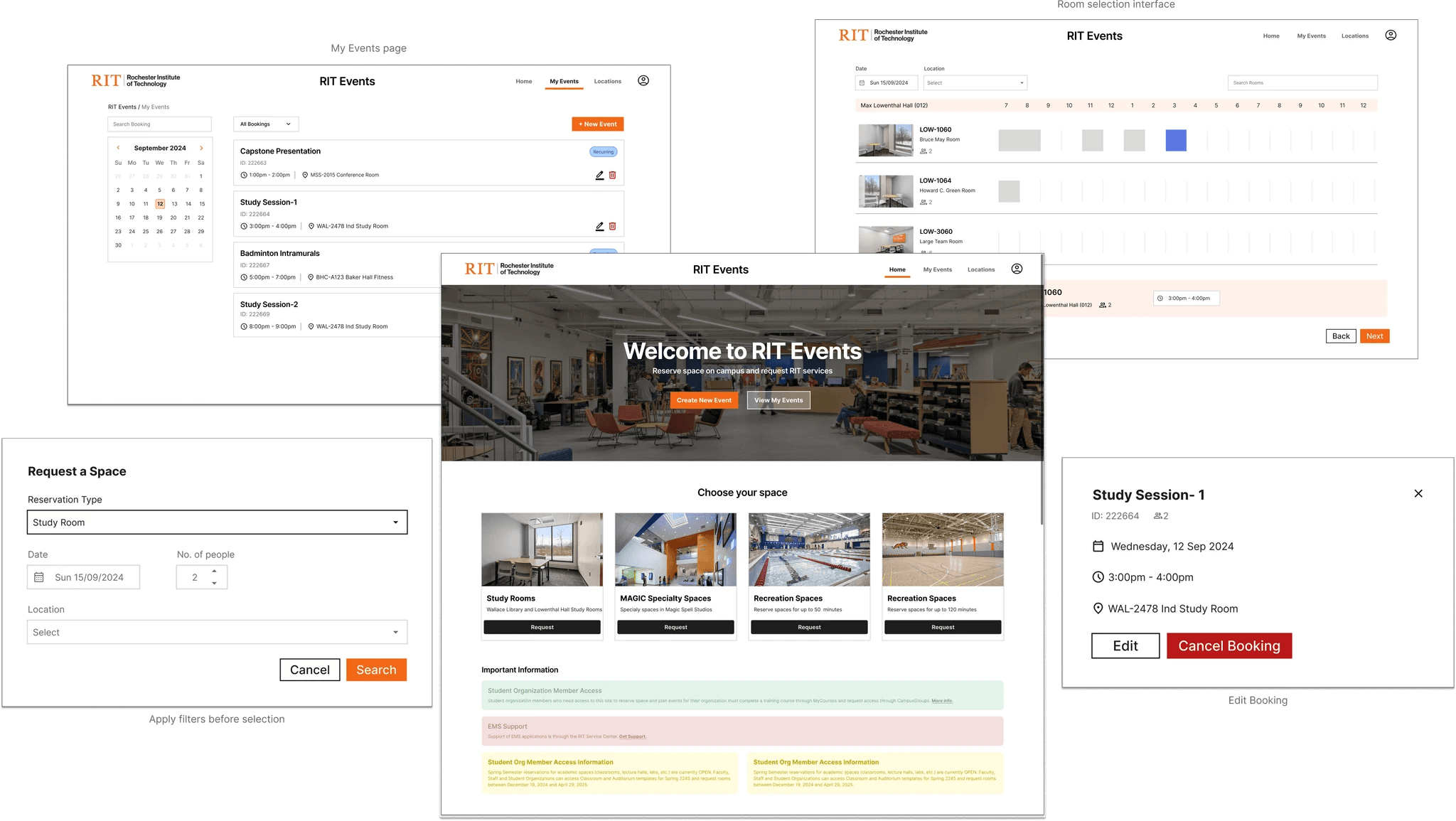
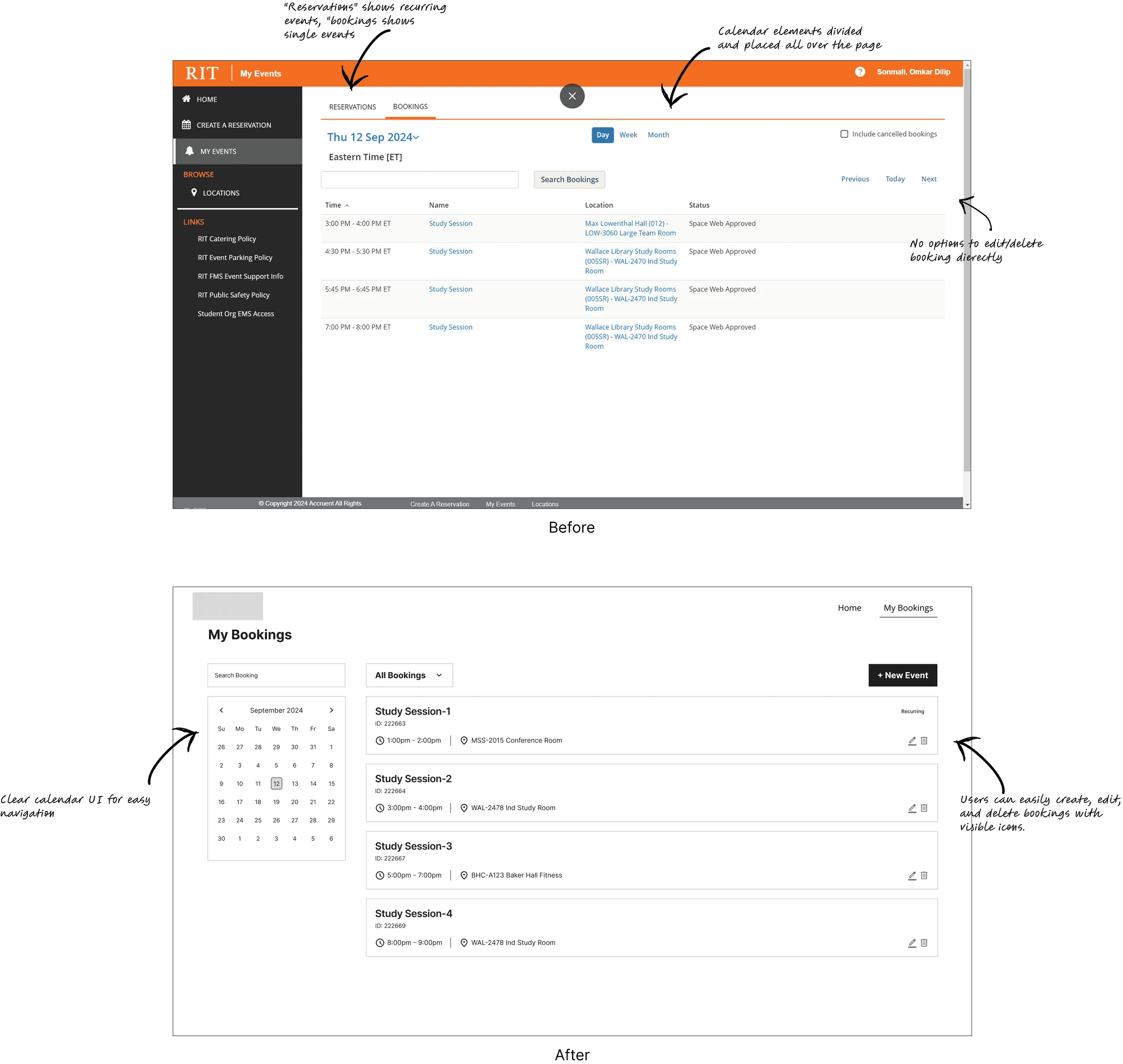
The final result was a clean and intuitive interface consistent with industry standards and easy to understand for the users. We conducted a final user testing with 4 participants which resulted in 50% increase in SUS score compared to the existing design.
Solution
PixelWave Innovation stands as a testament to the power of merging creative ingenuity with data-driven strategy. The project has not only redefined digital storytelling for Visionary Creative Studio but has also paved the way for future endeavors that demand a seamless blend of art and technology.